Security Tools by Trooper.AI
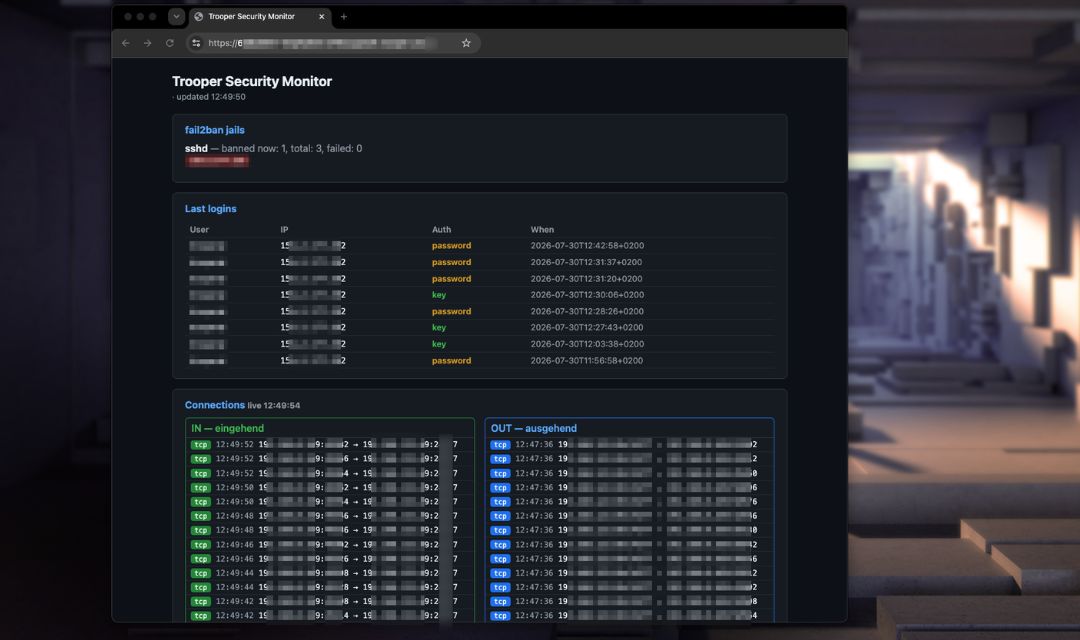
Keep your GPU server safe and see what’s going on — without touching the command line.
This template adds three things to your server:
- Brute-force protection (fail2ban) — automatically bans IPs that try to guess your SSH password.
- A simple security dashboard — a web page that shows banned IPs, who logged in, and (optionally) live network connections.
- SSH hardening — add your SSH key and, if you want, turn off password login.
Everything is protected by a personal access token.
Opening the dashboard
After installation you can just click on the Button with the Port Number, see here:
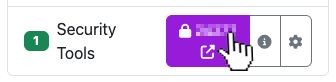
Just open it in your browser. The token is remembered by your browser and removed from the address bar automatically, so it won’t stay in your history.
The dashboard shows:
- fail2ban jails — which IPs are currently banned.
- Last logins — who logged in over SSH, from which IP, and whether they used a key or a password.
- Connections — live incoming/outgoing connections (only if you turn the connection logger on, see below).
Everything is done directly on your machine! No conn log is leaving the machine.
Settings
You set these when you install the template. All are optional.
| Setting | What it does | Default |
|---|---|---|
| AUTH_TOKEN | The token that unlocks your dashboard. Leave it to auto-generate a secure one. | auto |
| conn_logger | y shows a live list of all incoming/outgoing connections. n just shows the security info. |
n (off) |
| ssh_pubkey | Your SSH public key. Paste your ssh-ed25519 … / ssh-rsa … line to log in with a key. |
empty |
| disable_ssh_password | y turns off SSH password login (key-only) from the internet. |
n (password allowed) |
| clear_fail2ban_jail | y unbans all currently banned IPs once. Resets itself back to n afterwards. |
n |
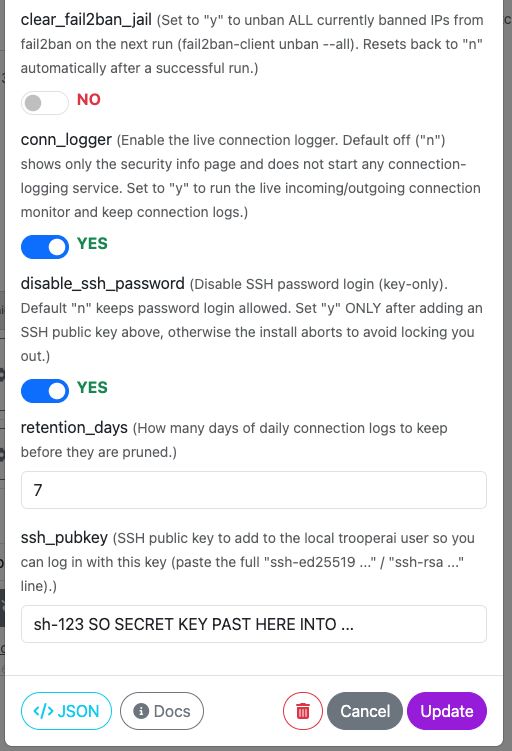
See this screenshot of settings example:
Brute-force protection (fail2ban)
Out of the box:
- 5 failed SSH logins within 10 minutes → that IP is banned for 1 hour.
- Only SSH is watched.
Locked yourself out by accident? Re-run the template with clear_fail2ban_jail = y
to unban everyone. It switches back to n automatically after it runs.
Locking down SSH
Want key-only login from the internet?
- Set ssh_pubkey to your public key.
- Set disable_ssh_password to
y.
Password login is then turned off for the outside world, but still allowed from the Trooper management network, so our system can keep running your templates and changing settings. If you forget to add a key, we keep password login on to make sure you don’t get locked out.
If for any reason you still are logged out, try also our VNC Emergency Console.
The connection logger (optional)
Turn conn_logger on (y) to see live connections split into IN (someone
connecting to you) and OUT (your server connecting out), each with IP, port and
time. Turn it off (n) and no connections are logged at all — the page then only
shows the security info.
Good to know:
- If you reach an app on your server through a Trooper HTTPS link, the connection shows up as coming from our proxy, not your personal IP. That’s normal.
- Logins from local/private networks are hidden from the list to keep it clean — only real external logins are shown.
FAQ
Is my dashboard public? No. The data is only shown with your token. Without it, the page loads but stays empty.
Does turning the connection logger off really stop logging?
Yes. With conn_logger = n nothing is recorded on the machine.
Which Ubuntu versions are supported? Ubuntu 22.04 and 24.04.