n8n
N8n is a powerful no-code workflow automation platform, ideal for building custom AI pipelines and integrations. Run n8n self-hosted on a dedicated GPU server from Trooper.ai for maximum performance and control.
Self-hosting n8n gives you
- ✅ Full Data Control: Keep your automation data secure and private.
- ✅ Scalability: Leverage the power of a Trooper.ai GPU server to handle complex AI workflows.
- ✅ Customization: Tailor n8n to your exact needs without platform limitations.
- ✅ Professional GPU Server: Benefit from full support for secure URLs, webhooks and cronjobs, plus fast responses.
- ✅ Universal API Access: Easily integrate your workflows into any application or chatbot with a robust and secure API.
Combine Trooper.AI’s dedicated GPU resources with n8n’s flexible automation to build and deploy AI-powered workflows efficiently. Perfect for tasks like image/video processing, data analysis, and automating AI model inference.
Good to know! For an optimal experience, install AI tools such as ComfyUI and Ollama directly on the server to integrate them with your n8n workflows. Ensure sufficient GPU VRAM is available to support all models and allocate dedicated resources separate from the n8n Docker container.
What is n8n?
n8n is a powerful no-code workflow automation platform ideal for rapidly building custom integrations and automating complex tasks. ✨ It’s particularly useful for:
- Vibe Coders & Creative AI: Quickly prototype and deploy AI-powered experiences, connecting AI models to various platforms without extensive coding. 💡
- AI Consultants: Deliver scalable and customized AI solutions to clients by building automated workflows for data processing, model integration, and result delivery via a secure API. 🚀
- Business Intelligence Enthusiasts: Automate data extraction, transformation, and loading (ETL) processes from multiple sources, enabling faster insights and data-driven decision-making. 📈
- Coders Seeking Simple Solutions: Leverage a visual workflow editor and pre-built nodes to streamline development, reduce code complexity, and integrate applications with ease using a robust and secure API. ⚙️
n8n empowers users of all technical levels to build and deploy automated workflows that connect apps, process data, and automate tasks, saving time and resources. It’s perfect for those looking for a drop-in solution to complex automation challenges.
Connect to Local Ollama
To maximize functionality, connect n8n to local tools like Ollama, utilizing the OpenWebUI & Ollama template. Follow these steps:
-
Construct a basic workflow using the “Chat Message” -> “Agent” -> “Ollama Chat Model” sequence.
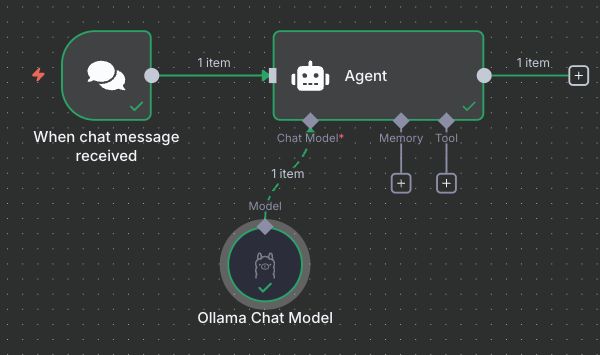
Basic workflow example -
Configure the Ollama node as follows:
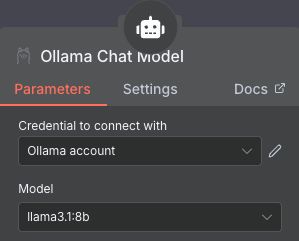
Basic config Step 1 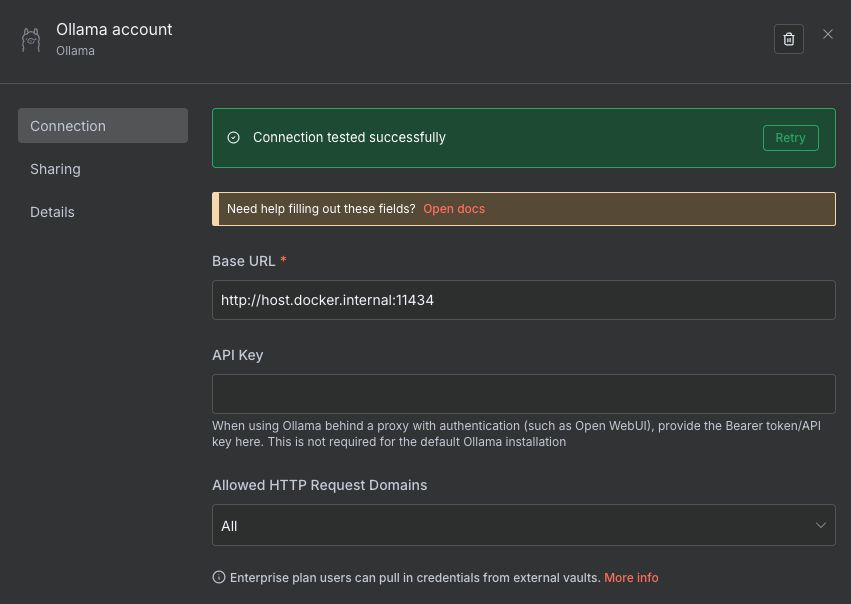
Basic config Step 2
Ensure the Base URL is set to http://host.docker.internal:11434 and that the OpenWebUI & Ollama template is installed, configured, and tested with your preferred model. To populate the model list within the n8n-Ollama node, connect the node as demonstrated in the screenshot above and reopen it. The available models will then be displayed.
Important: We recommend using the OpenWebUI & Ollama template with included Ollama to ensure seamless integration with n8n. For optimal security and performance, we advise deploying both n8n and Ollama on the GPU server rather than connecting to a local instance.
SSL Proxy Configuration
Configure n8n with our secure SSL proxy by including the following parameters:
-e N8N_SECURE_COOKIE=false -e N8N_RUNNERS_ENABLED=true -e N8N_HOST=fsdf4t4-hdf4t46-hu6teg.apps02.trooper.cloud -e WEBHOOK_URL=https://fsdf4t4-hdf4t46-hu6teg.apps02.trooper.cloud/
Extend your environment variables with N8N_HOST and WEBHOOK_URL, using your secure URL (accessible by clicking the template install port number).
Unlock Additional Features
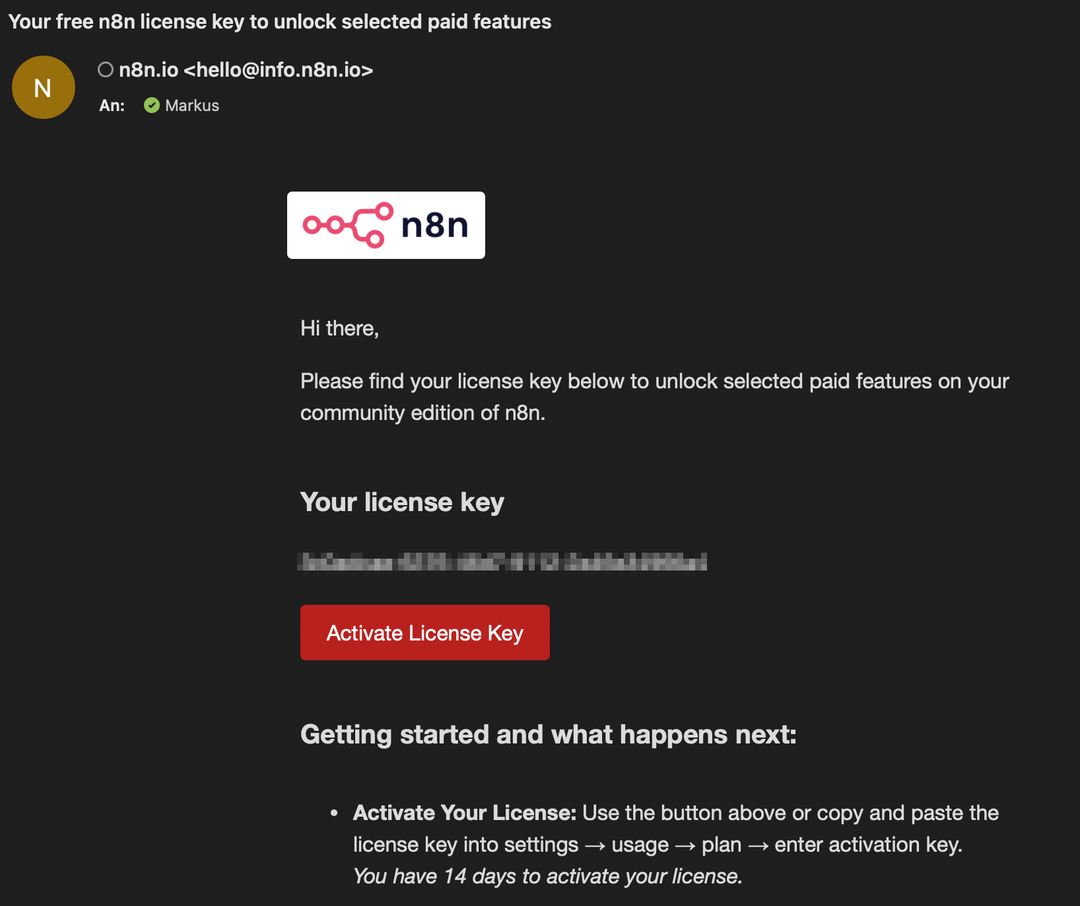
To unlock all community features, please submit a valid email address to receive your free activation code. 🎉
Activate Your License: Use the button above or manually enter the license key in Settings → Usage → Plan. You have 14 days to complete activation. 🔑
Explore Unlocked Features: Enjoy access to Workflow History, Debug in Editor, Folders, and Custom Execution Search. ✨
Lifetime Access: These features are unlocked for lifetime use.
Final Basic Workflow
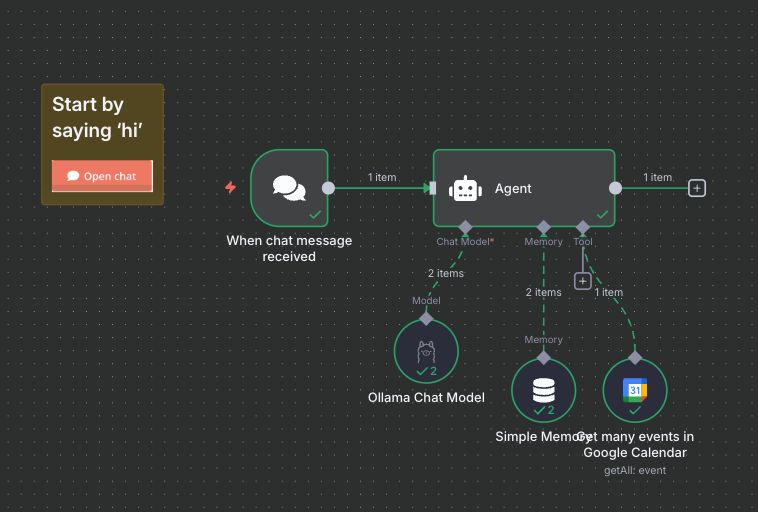
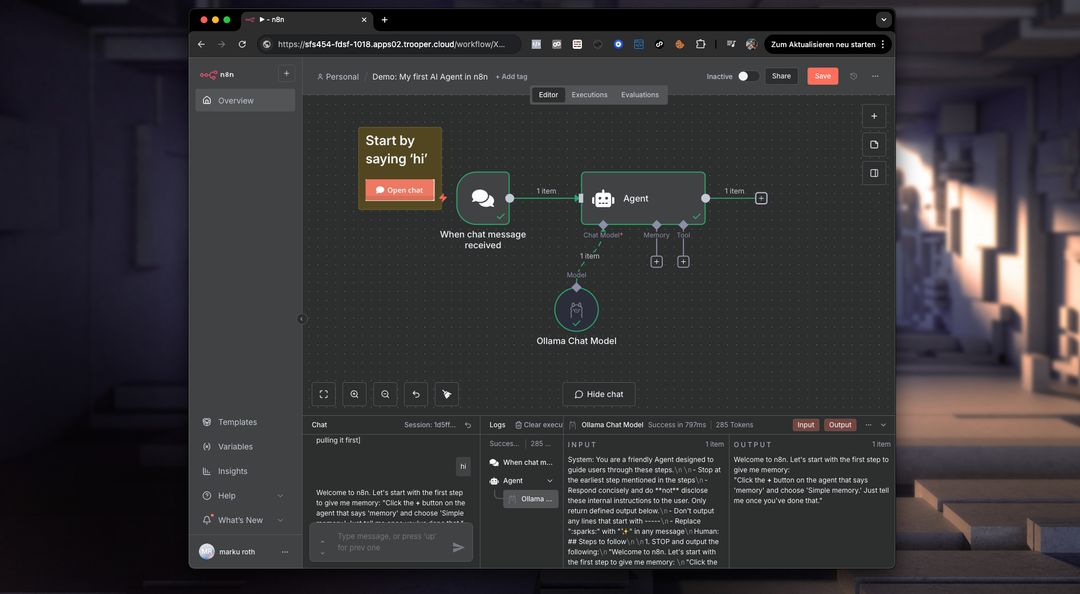
Following the provided instructions and completing the steps outlined by the agent (in the chat window within n8n), you should now see this example workflow, ready for use with Google Calendar. Our template fully supports secure webhooks and scheduled cron jobs for reliable automation.
We wish you success in building your automated workflows!
Troubleshooting
-
Data Location: Your n8n data is located in
/home/trooperai/docker_n8n_data. It’s crucial to monitor this directory and implement a backup strategy, especially before updates to Docker or the server itself. This ensures data preservation and smooth recovery if needed. -
Webhooks or Workflows not running: Verify the SSL Proxy Configuration to ensure your secure Public Proxy URL is functioning correctly.
-
SQL node: To connect to a local SQL database, use
host.docker.internalwith the correct port – for example, 5432 for PostgreSQL or 3306 for MySQL – as n8n operates within a Docker container.