OpenWebUI & Ollama
The OpenWebUI & Ollama template provides a pre-configured, self-hosted AI chat interface with direct integration of powerful language models like Gemma, Qwen, Llama or DeepSeek via Ollama . It includes an optimized setup for seamless operation without additional configuration.
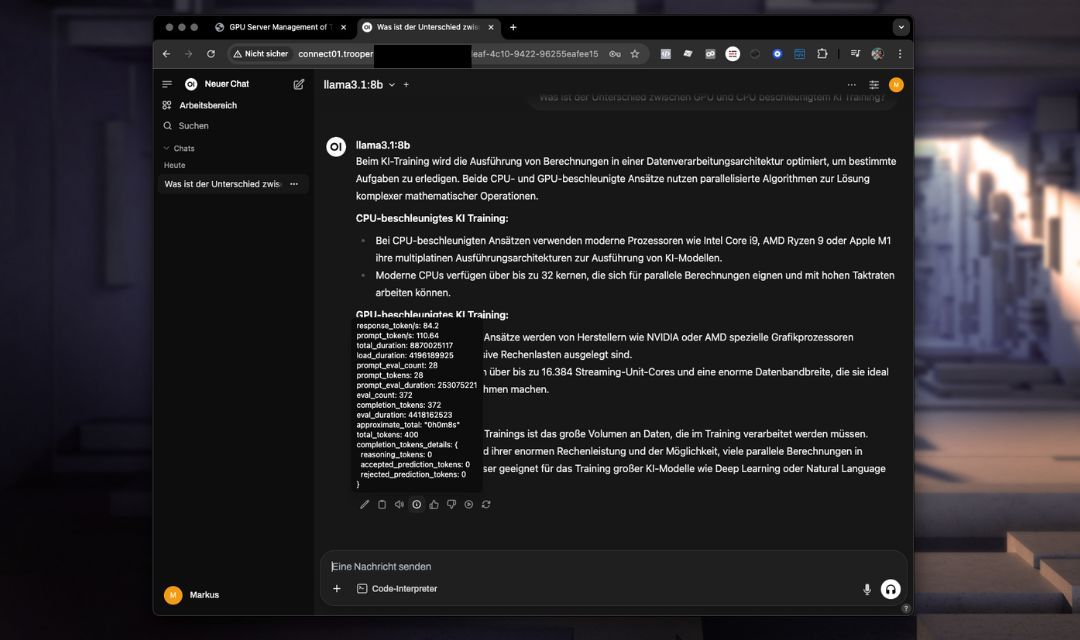
This template leverages the advanced API capabilities of OpenWebUI, providing enhanced conversation management, context persistence, and streamlined integration compared to Ollama’s simpler API.
You can specify the version of OpenWebUI to install. The default value is our most recently tested version; however, you are free to upgrade or downgrade as needed. Simply enter your desired version in the tempalte configuration after server deployment.
Enterprise-Grade Deployment with OpenWebUI ⚙️🔒
OpenWebUI delivers a robust foundation for implementing enterprise-grade internal chat solutions 📊✨. Its architecture enables organizations to develop secure, scalable AI-powered communication workflows tailored to business requirements.
Deployed within a fully GDPR-compliant infrastructure 🛡️🌍, OpenWebUI ensures end-to-end data protection while maintaining operational efficiency. The platform combines industry-standard security measures with flexible configuration options, making it ideal for corporate environments where confidentiality and regulatory adherence are critical priorities 🎯📋.
Key advantages include:
- ✅ Secure authentication protocols
- ✅ Role-based access controls
- ✅ Audit logging capabilities
- ✅ Integration with existing IT ecosystems
Key Features and Capabilities
- Advanced Web Interface: Intuitive chat experience accessible directly through your browser.
- Enhanced API Capabilities: Improved management of chat contexts and easier integration with external applications.
- Optimized Model Usage: Pre-installed models ready for immediate use.
- Integrated Environment: Fully pre-configured environment including port settings and necessary configurations.
- Secure and Customizable: Straightforward setup for secure credentials and user-specific settings.
Installation
Just add the template “OpenWebUI & Ollama” to your Trooper.AI GPU Server and the isntallation goes completely automatically. I you like, it can also directly download a LLM model from ollama.com for you. You can configure this in the Template Configuration dialogue.
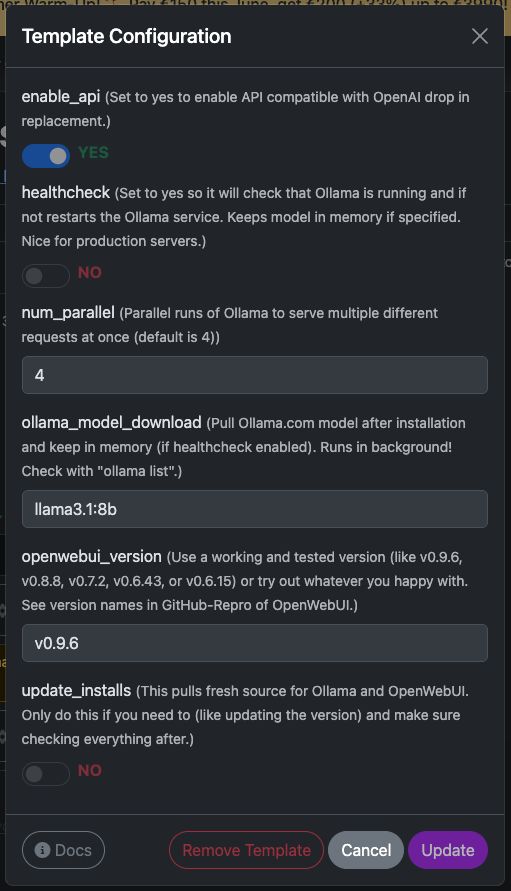
But of course you can still download models via the OpenWebUI after installation.
Additional Options:
-
Update Installs:
This option pulls the latest source for Ollama and OpenWebUI. Only use this if necessary, and make sure to verify everything afterward.
Of course, you can also perform manual pulls via the terminal, but remember to install dependencies as well.
This function handles everything for you—convenient and automated! -
Activate Health Check:
Set this toyesto enable a health check that ensures the Ollama service is running and responding via its internal API.
If it’s not, the health check automatically restarts the service.
The script is located at/usr/local/bin/ollama-health.sh, and the service can be controlled with:
sudo service ollama-health stop/start/status.
This is especially useful for production servers.
Accessing OpenWebUI
After deploying your Trooper.AI server instance with the OpenWebUI & Ollama template, access it via your secure URL:
🔒 https://your-secure-hostname.trooper.ai
Or click on the port number next to the OpenWebUI Template:
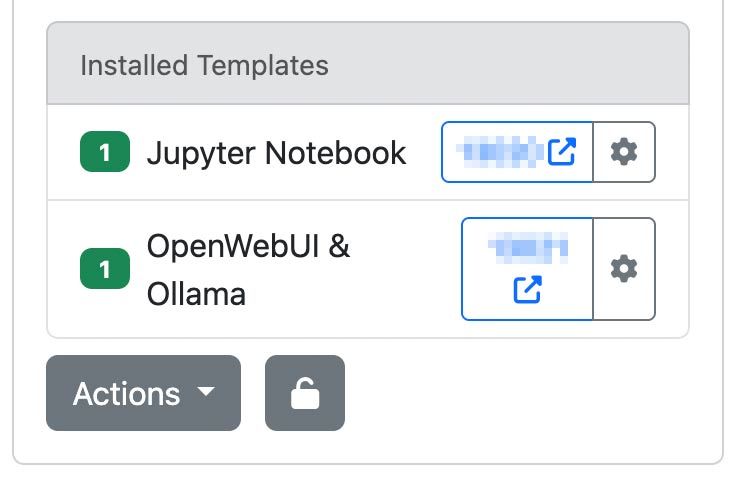
You will configure the initial login credentials upon your first connection. Ensure these credentials are stored securely, as they will be required for subsequent access.
Recommended Use Cases
The OpenWebUI & Ollama template is ideal for:
- Team collaboration via AI chat
- Personal AI-assistant deployments
- Rapid development and prototyping of conversational AI applications
- API usage and agent building/connecting as a replacement for OpenAI API
- Educational purposes and research activities
LLMs you should test out
In our very own opinion - here are a few models to get you started:
- GPT-OSS: OpenAI’s open-weight model, suitable for reasoning, agentic tasks, and development. Runs efficiently on Explorer, Conqueror (16 GB VRAM), and Sparbox (24 GB VRAM) instances. https://ollama.com/library/gpt-oss:20b
- DeepSeek-R1: A high-performing open reasoning model comparable to O3 and Gemini 2.5 Pro. Optimized for StellarAI machines with 48 GB VRAM. https://ollama.com/library/deepseek-r1:70b
- Gemma 3: Currently one of the most capable models for single GPU use. Powers Trooper.AI’s James on Sparbox instances. https://ollama.com/library/gemma3:27b
Find more LLMs here: https://ollama.com/search (These all are compatible with OpenWebUI!)
Technical Considerations
System Requirements
Ensure your model’s VRAM usage does not exceed 85% capacity to prevent significant performance degradation.
- Recommended GPU VRAM: 24 GB
- Storage: At least 180 GB of available space
Pre-Configured Environment
- Ollama and OpenWebUI are pre-installed and fully integrated.
- Port settings and all necessary configurations are already established, requiring no further manual setup.
- Installation directories and environment variables are predefined for immediate use.
Data Persistence
All chat interactions, model configurations, and user settings persist securely on your server.
Connecting via OpenAI-compatible API
OpenWebUI provides an OpenAI-compatible API interface, enabling seamless integration with tools and applications that support the OpenAI format. This allows developers to interact with self-hosted models like llama3 as if they were communicating with the official OpenAI API—ideal for embedding conversational AI into your services, scripts, or automation flows.
First steps: Preparation
The API is enabled by default, but check in template configuration:
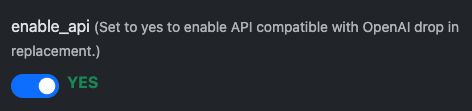
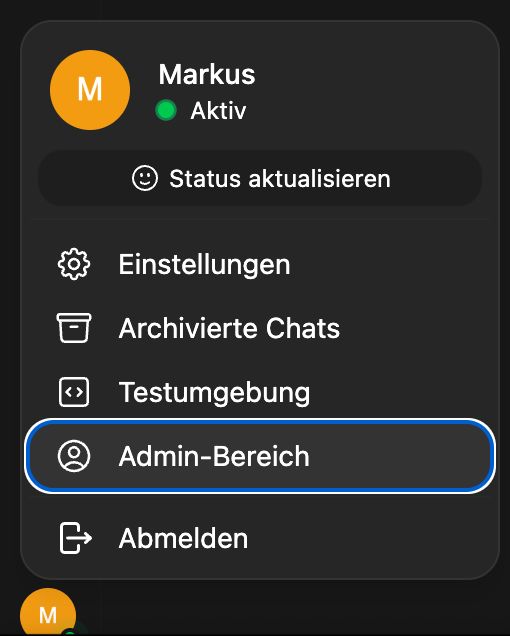
After this enable API Key creation for all users:
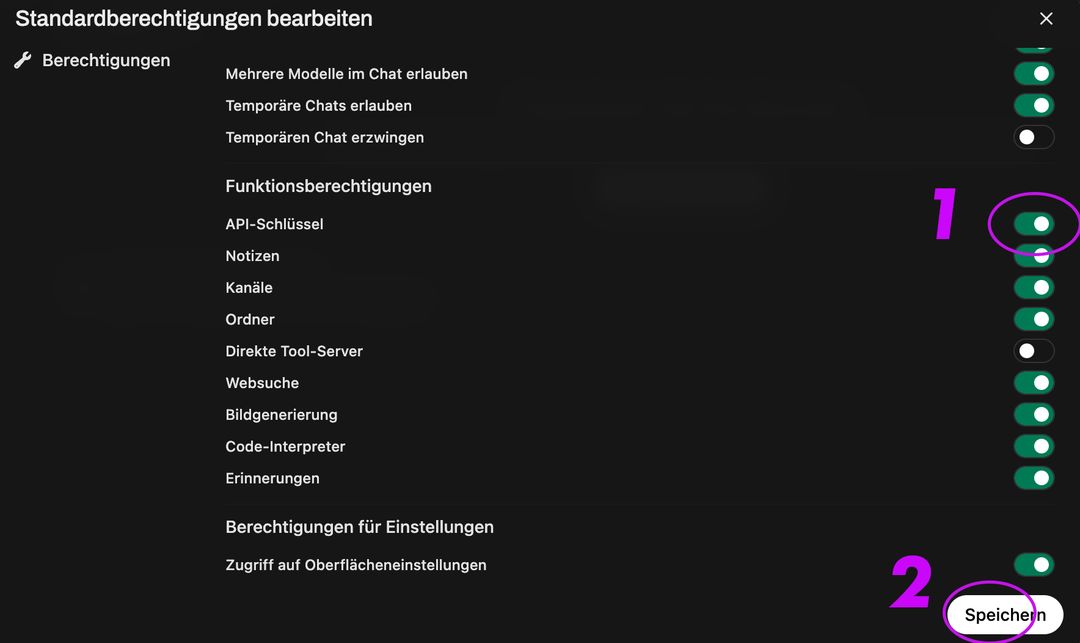
Then go to Group and Default Group, activate API Key Creation, click save:
This will activate the Endpoint:
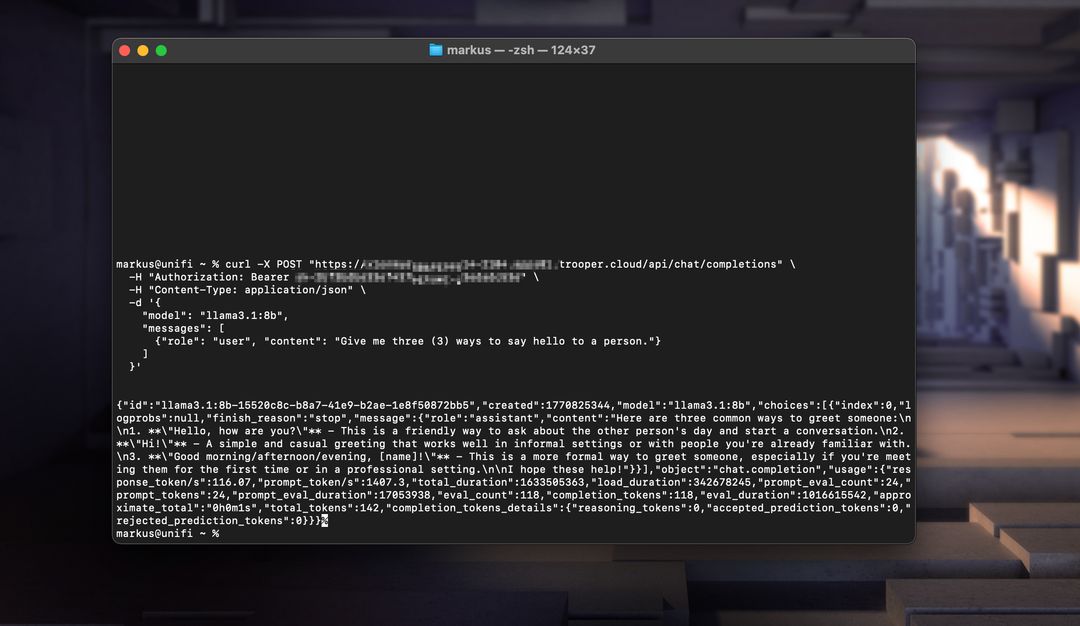
Below are two working examples: one using Node.js and the other using curl.
Node.js Example
const axios = require('axios');

const response = await axios.post('https://your-secure-hostname.trooper.ai/api/chat/completions', {
  model: 'llama3',
  messages: [{ role: 'user', content: 'Hello, how are you?' }],
}, {
  headers: {
    'Content-Type': 'application/json',
    'Authorization': 'Bearer YOUR_API_KEY'
  }
});

console.log(response.data);
Ensure API calls utilize
/api/...rather than/v1/...as this is the required format for OpenWebUI.
cURL Example
curl https://your-secure-hostname.trooper.ai/api/chat/completions \
  -H "Content-Type: application/json" \
  -H "Authorization: Bearer YOUR_API_KEY" \
  -d '{
    "model": "llama3",
    "messages": [
      { "role": "user", "content": "Hello, how are you?" }
    ]
  }'
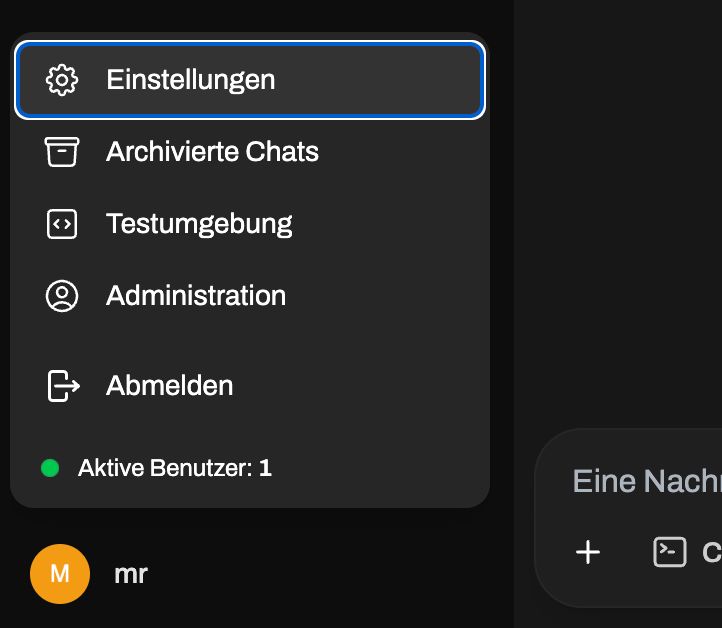
Replace YOUR_API_KEY with the actual token generated in the OpenWebUI interface under User → Settings → Account → API Keys. Do not go into admin panel, the API access is user specific! See here:
After this go here:
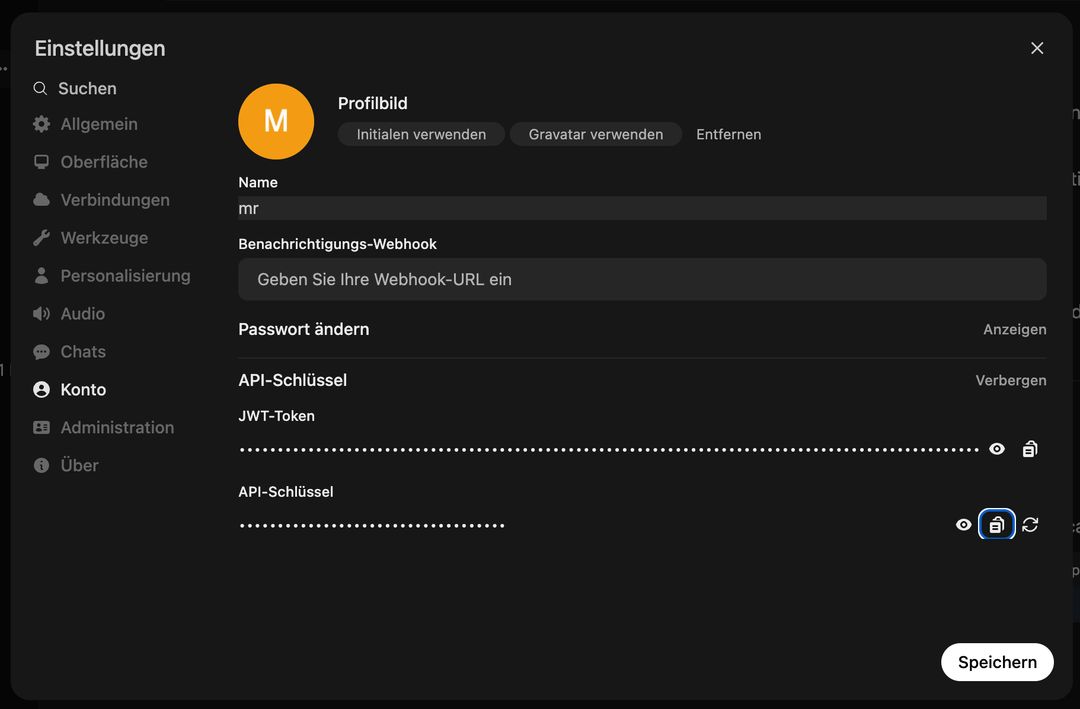
You can use this API with tools like LangChain, N8N, FlowWise, NodeJS-OpenAI, LlamaIndex, or any codebase supporting the OpenAI API specification.
Updating OpenWebUI
You can simple switch the version of your OpenWebUI. Important, downgrades can break your database! Go always up or contact support.
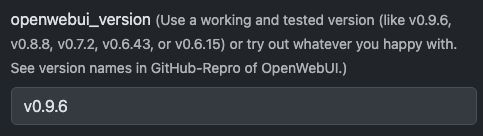
Review all releases in GitHub here: https://github.com/open-webui/open-webui/releases
If you do not want to update via the template system you can run anytime the following commands to update both OpenWebUI and Ollama:
# Update OpenWebUI:
# 1. Zum OpenWebUI-Verzeichnis wechseln
cd /home/trooperai/openwebui

# 2. Repository aktualisieren
git pull

# 3. Frontend-Abhängigkeiten installieren und neu bauen
npm install
npm run build

# 4. Backend: Python-Venv aktivieren
cd backend
source venv/bin/activate

# 5. Pip aktualisieren & Abhängigkeiten neu installieren
pip install --upgrade pip
pip install -r requirements.txt -U

# 6. OpenWebUI systemd-Dienst neu starten
sudo systemctl restart openwebui.service

# (optional) Update Ollama:
curl -fsSL https://ollama.com/install.sh | sh
sudo systemctl restart ollama.service
Deactivate OpenWebUI
If you want to safe some VRAM, you can disable OpenWebUI like this:
sudo systemctl disable --now openwebui.service
To enable OpenWebUI again, run via Terminal:
sudo systemctl enable --now openwebui.service
Support and Further Documentation
For installation support, configuration assistance, or troubleshooting, please contact Trooper.AI support directly:
- Email: [email protected]
- WhatsApp: +49 6126 9289991
Additional resources and advanced configuration guides: