Flowise
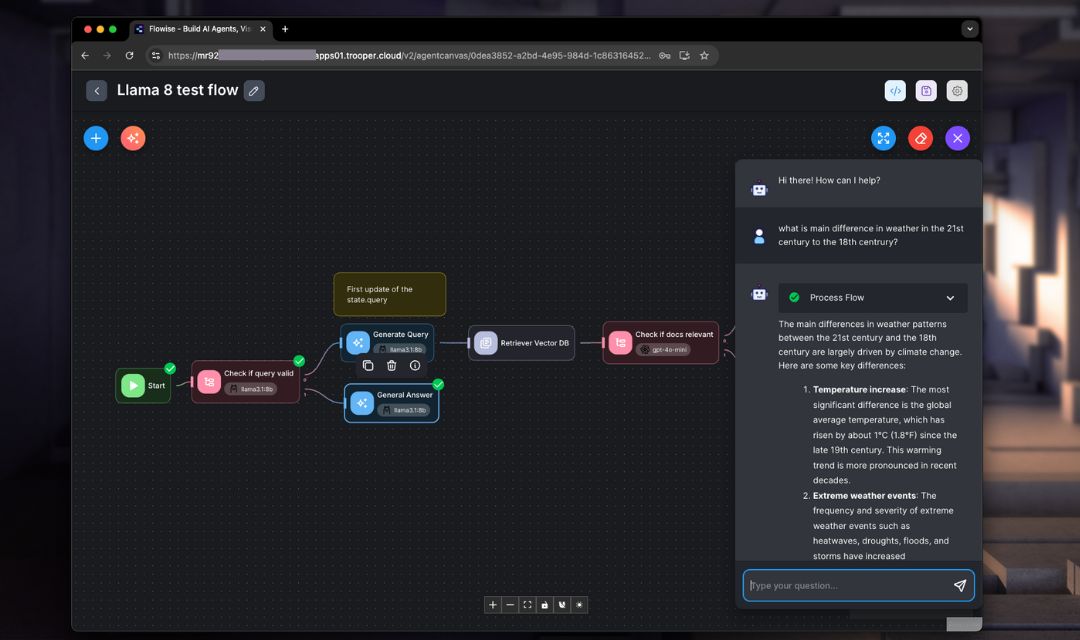
Flowise is a visual no-code AI workflow builder used to create LLM pipelines, RAG systems, chatbots and agent flows through a drag-and-drop UI.
It provides a browser-based interface that makes it easy to combine LLMs, vector databases, APIs, tools, and custom logic into complete applications. Flowise focuses on rapid prototyping and operational deployment rather than low-level model management. It is open source, modular, and supports both local and cloud environments.
Key Use Cases
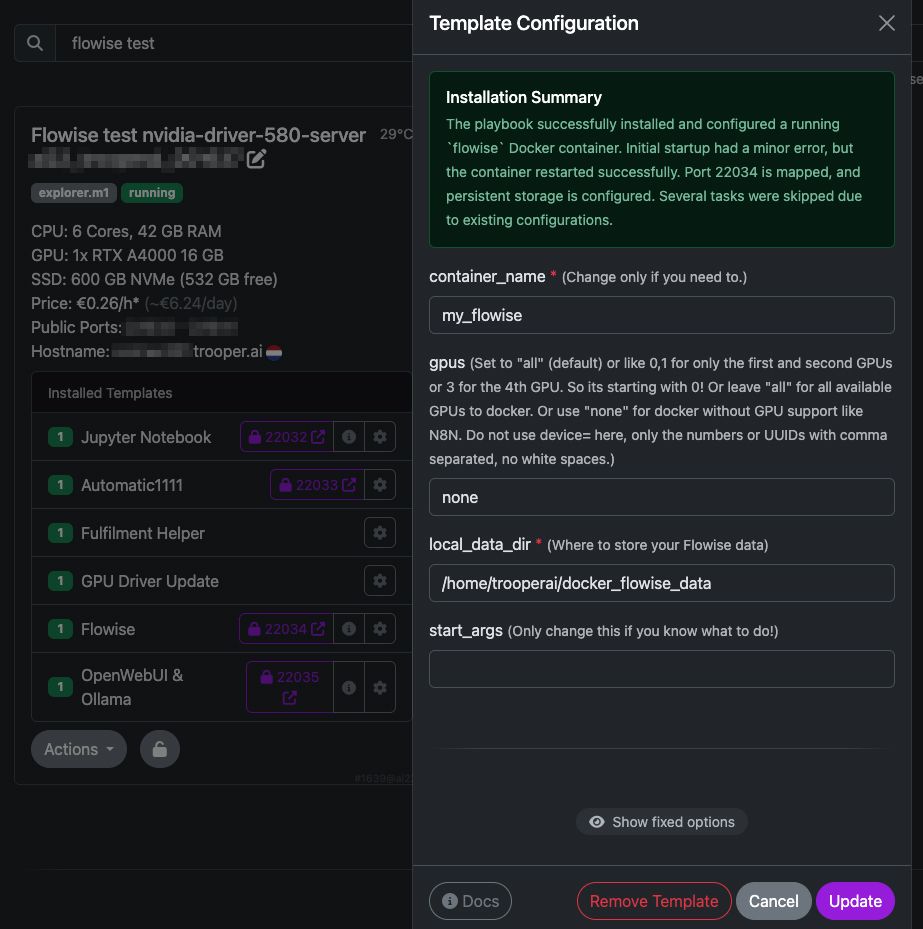
Flowise can be used to build:
- Chatbots & Assistants: Custom conversational agents for internal or external use.
- RAG Pipelines: Document search and question answering powered by embeddings + vector DBs.
- Autonomous Agents: Task-driven workflows triggered by external APIs or business logic.
- Data Processing: Summarization, sentiment analysis, classification, extraction.
- Business Automation: Lead qualification, customer support routing, content workflows.
Flowise also integrates with major vector databases (Qdrant, Milvus, Chroma, Pinecone), local LLM engines (Ollama), and cloud LLM providers (OpenAI, Anthropic, Mistral).
How to Configure local Ollama in Flowise
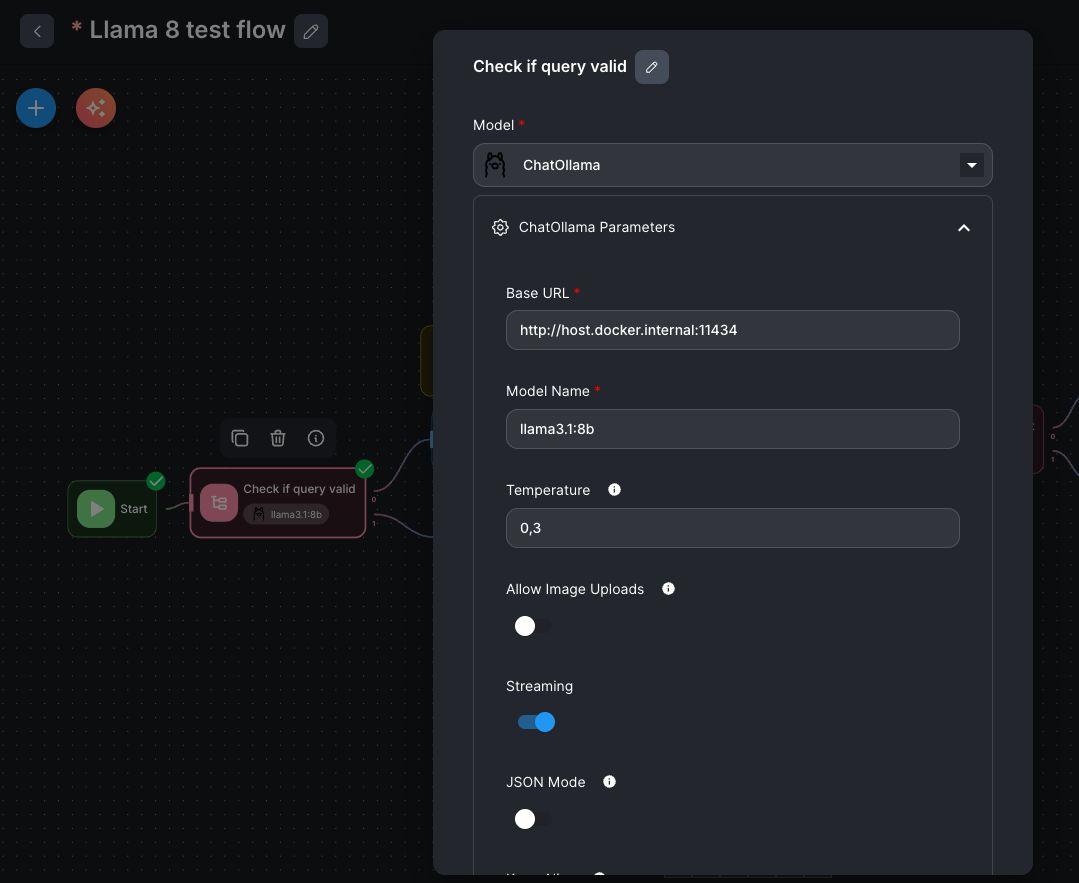
Install the OpenWebUI & Ollama to run your local Ollama service. This setup is optimized for a single GPU server and integrates directly with Flowise.
Configuration Notes
-
Node Model: select
ChatOllama -
Base URL:
If Flowise runs in a separate container →
http://host.docker.internal:11434
(Use this instead oflocalhost, since localhost would refer to the container itself.) -
Model Name:
Ensure the model listed in Flowise exactly matches the name in Ollama/OpenWebUI. -
Temperature:
A value around0.3is recommended for factual tasks.
Higher values (e.g.,0.8) increase creativity but also hallucination risk.
Notes on GPU Usage
Flowise itself does not require a GPU.
GPU usage depends on the models behind Ollama or other LLM backends.
Qdrant / Vector DB Integration
For RAG pipelines, Flowise includes Retriever Vector DB nodes: select database type (e.g., Qdrant), then configure:
- URL:
http://host.docker.internal:6333 - Collection name
- Embedding model source
Typical Flowise Troubleshooting
1. Flowise UI not loading on port 3000
- Cause: wrong port mapping or non-host networking
- Fix: ensure
-p 3000:3000OR--network host+ open browser on correct host IP (make sure using our default template for Flowise and the Secure URL provided in the Server Dashboard)
2. Cannot reach Ollama / “connection refused”
- Cause:
localhostused inside container - Fix: use
http://host.docker.internal:11434if Flowise runs in Docker bridge mode
3. RAG not returning documents
- Cause: missing embeddings or wrong vector DB collection name
- Fix: verify embeddings output + correct collection name inside Qdrant/Chroma
4. Flow errors: “No LLM model found”
- Cause: wrong model string
- Fix: model name must exactly match name in Ollama/OpenAI/etc.
5. Cannot save or load flows
- Cause: missing persistent volume
- Fix: mount host path →
/root/.flowise
6. GPU model not used
- Cause: Flowise itself doesn’t run models
- Fix: GPU must be supported by backend engine (Ollama/comfyui/OpenAI local wrapper)
7. Agent loop / hallucination
- Cause: high temperature or agent misconfiguration
- Fix: temperature 0.2–0.4 + enable guardrails + limit tools
8. Wrong output format from tools
- Cause: tool node output type mismatch
- Fix: insert “text parser” or “JSON parser” nodes between steps
Calling the ComfyUI API from Flowise
Flowise can call ComfyUI’s API. Install ComfyUI with our tempalte: ComfyUI Template for GPU Server Blibs easily and securely. No native Flowise node yet, but integrate via the HTTP Request Node.
Example minimal setup:
ComfyUI API endpoint
POST http://<host>:8188/prompt
Flowise HTTP Node fields:
- Method: POST
- URL:
http://host.docker.internal:8188/prompt - Headers:
Content-Type: application/json - Body (example):
{
  "prompt": {
    "1": {
      "inputs": {
        "seed": 1,
        "steps": 20,
        "cfg": 8,
        "sampler_name": "euler",
        "scheduler": "normal",
        "positive": "a robot with wings",
        "negative": ""
      },
      "class_type": "KSampler"
    }
  }
}
Output handling in Flowise
- add JSON Parse node
- feed response into chatbot or UI
Pro tips
Use trigger nodes
Schedule image generations or LLM workflows on intervals/events.
Store generated images
Save ComfyUI output URLs into Qdrant / PostgreSQL for retrieval inside flows.
Async mode
ComfyUI queues jobs → Flowise needs polling logic via loop + HTTP Request node.