Qdrant
Qdrant is a vector similarity search engine designed to accelerate AI and machine learning workflows. It’s particularly powerful when combined with dedicated GPU server infrastructure like those offered by Trooper.AI, enabling rapid prototyping and deployment of complex AI solutions.
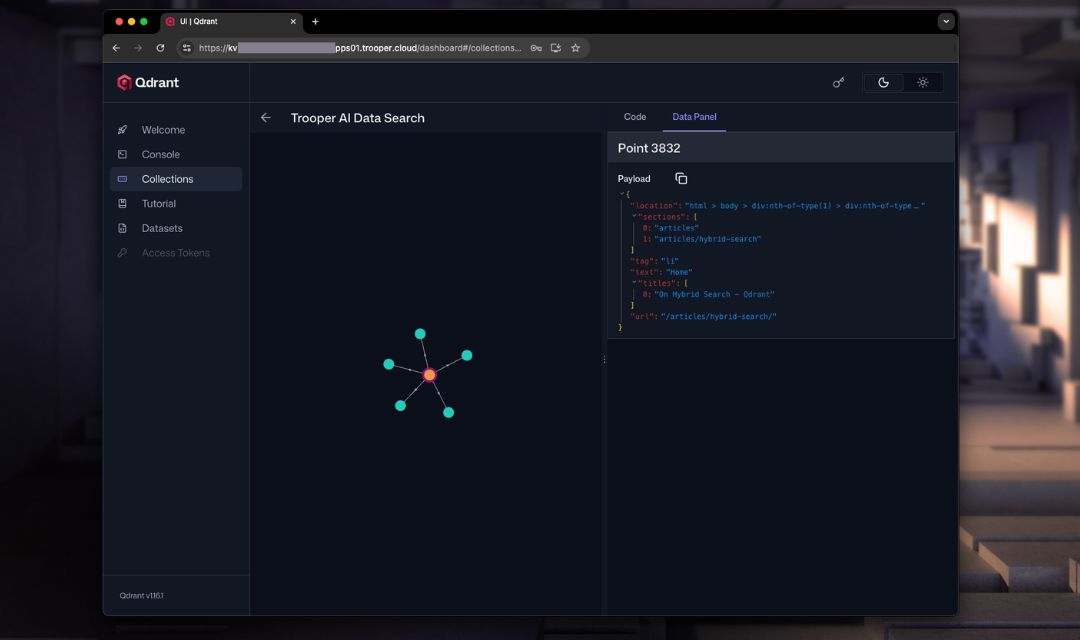
Qdrant excels at finding the most similar vectors to a given query vector, making it ideal for applications like semantic search, recommendation systems, and image/video retrieval.
Why Qdrant with GPU Servers?
Traditional database systems struggle with the high dimensionality and complex similarity calculations inherent in vector embeddings. Qdrant, optimized for vector data, combined with the parallel processing power of GPUs, delivers significant performance gains. A Trooper.AI GPU server provides the necessary horsepower to handle large-scale vector datasets and deliver low-latency search results.
- Speed: GPUs massively accelerate the distance calculations required for similarity search.
- Scale: Handle billions of vectors efficiently.
- Real-time Performance: Crucial for interactive applications and low-latency responses.
- Cost-Effectiveness: Optimized algorithms minimize resource usage, reducing costs on GPU servers.
GPU acceleration is enabled by default within our pre-configured Qdrant template, ensuring optimal performance for your searches.
Use Cases
Here are some specific use cases where Qdrant, powered by Trooper.AI GPU servers, shines:
- Semantic Search: Instead of keyword matching, Qdrant allows you to search for documents or content based on their meaning. Embeddings capture the semantic essence of text, and Qdrant finds the most semantically similar results. For example, searching for “ways to improve model accuracy” will return results discussing regularization, hyperparameter tuning, and data augmentation, even if those exact keywords aren’t present.
- Recommendation Systems: Represent users and items as vectors. Qdrant can quickly identify items similar to those a user has previously interacted with, providing personalized recommendations. This is applicable to e-commerce, content streaming, and more.
- Image and Video Retrieval: Extract embeddings from images and videos using models like CLIP. Qdrant enables searching for visually similar content. Imagine searching for “a cat playing with a ball” and retrieving relevant images and videos, even if they don’t have those exact tags.
API
Here’s an example of a typical API workflow with Qdrant, followed by a Python example to query for similar vectors:
Normal API Workflow with Qdrant:
- Authentication: Most Qdrant deployments require an API key for authentication. This key should be included in the
Authorizationheader of your requests. - Endpoint Selection: Qdrant exposes various endpoints for different operations like searching, upserting (adding) vectors, and managing collections.
- Request Formatting: Data is typically sent and received in JSON format.
- Response Handling: The API returns JSON responses containing the results of your request, or error messages if something goes wrong.
Here’s an example of a Python call to Qdrant to search for similar vectors:
import requests
import json
import numpy as np

# Qdrant API endpoint and collection name
QDRANT_API_URL = "https://SECURE-TROOPER-APP-URL"  # Replace with your Qdrant endpoint
QDRANT_COLLECTION_NAME = "my_collection"

# Your API Key
API_KEY = "YOUR_QDRANT_API_KEY" # Replace with your Qdrant API key

# Payload for the search request
payload = {
    "vectors": (np.random.rand(128).tolist()),  # Replace with your query vector
    "limit": 10  # Number of results to return
}

headers = {
    "Authorization": f"Bearer {API_KEY}",
    "Content-Type": "application/json"
}

try:
    response = requests.post(f"{QDRANT_API_URL}/collections/{QDRANT_COLLECTION_NAME}/search",
                             headers=headers,
                             data=json.dumps(payload))

    response.raise_for_status()  # Raise HTTPError for bad responses (4xx or 5xx)

    results = response.json()
    print(json.dumps(results, indent=2))

except requests.exceptions.RequestException as e:
    print(f"Error: {e}")
    print(f"Response text: {response.text}")
except Exception as e:
    print(f"An unexpected error occurred: {e}")
This example demonstrates querying Qdrant for similar vectors. Remember to replace "https://SECURE-TROOPER-APP-URL", "my_collection", "YOUR_QDRANT_API_KEY" and the example vector with your actual Qdrant endpoint, collection name, API key, and query vector. Refer to the Qdrant API documentation for more endpoints and functionalities: https://qdrant.tech/documentation/ .
Qdrant Dashboard
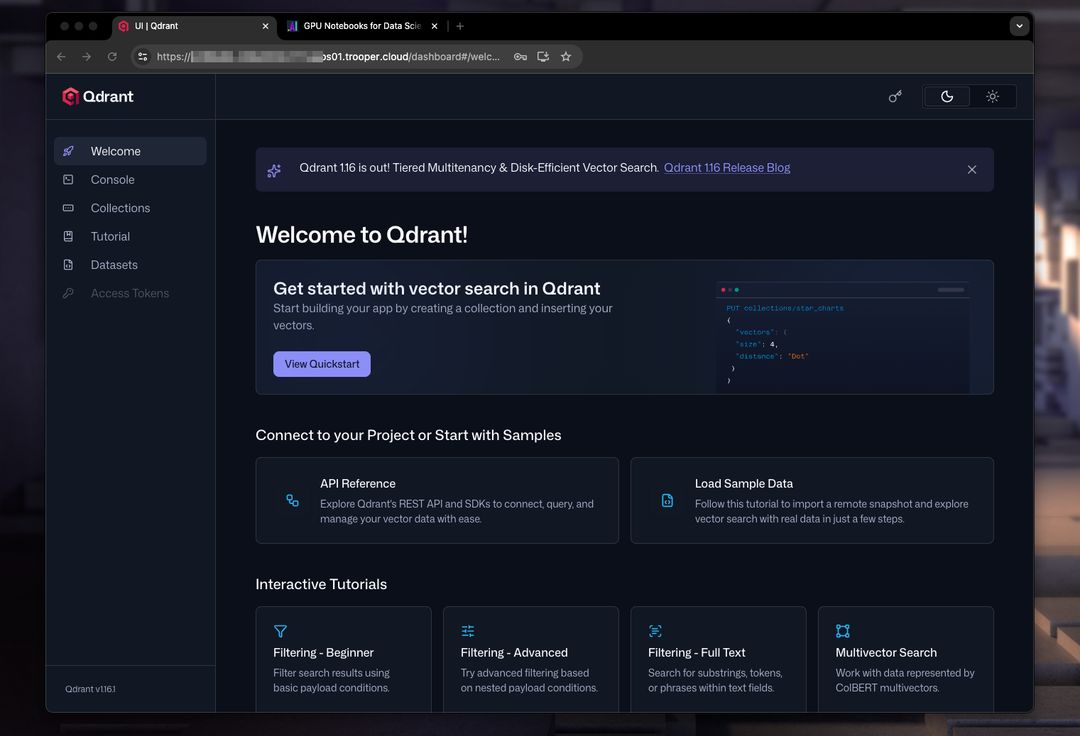
Qdrant provides a user-friendly web dashboard for managing your vectors and collections. The dashboard allows you to:
- Visualize Vector Data: Explore your vectors in a high-dimensional space using scatter plots and other visualizations.
- Manage Collections: Create, modify, and delete collections to organize your vector data.
- Search and Filter: Perform quick searches and apply filters to find specific vectors.
- Monitor Performance: Track key metrics like query latency and resource usage.
- Inspect Vectors: View detailed information about individual vectors, including their embeddings and payloads.
How to access the dashboard
You can access the Qdrant dashboard through your Qdrant deployment’s web interface.
Add
/dashboardto your API URL to access it.
Refer to the Qdrant documentation for detailed instructions on accessing and using the dashboard: https://qdrant.tech/documentation/ . Using the dashboard in conjunction with a Trooper.AI GPU server ensures a smooth and responsive experience when working with large-scale vector datasets.